Exporting
How to export charts to various image formats using a remote export service.
- SVG Generator
- Remote Export Service
- Offline Module (Unsupported)
Vaadin Charts has built-in export functionality that renders the chart to a file on a remote export server. By default, it uses the public Highcharts export server, but you can also configure your own.
|
Caution
|
Chart Data Is Sent to the Export Server
To render the exported file, the chart’s configuration — including its data — is sent to the export server. With the default settings, this means sending the data to a third-party server. If your charts contain sensitive data, set up your own export server instead.
|
You can enable the built-in export menu by calling setExporting(true) on the chart configuration.
Source code
Java
chart.getConfiguration().setExporting(true);To configure it further, you can provide an Exporting object with custom settings.
Source code
Java
// Create the export configuration
Exporting exporting = new Exporting(true);

// Customize the name of the downloaded file
exporting.setFilename("mychartfile");

// Use the exporting configuration in the chart
chart.getConfiguration().setExporting(exporting);
Once exporting is enabled, the chart displays a menu with printing and download options.
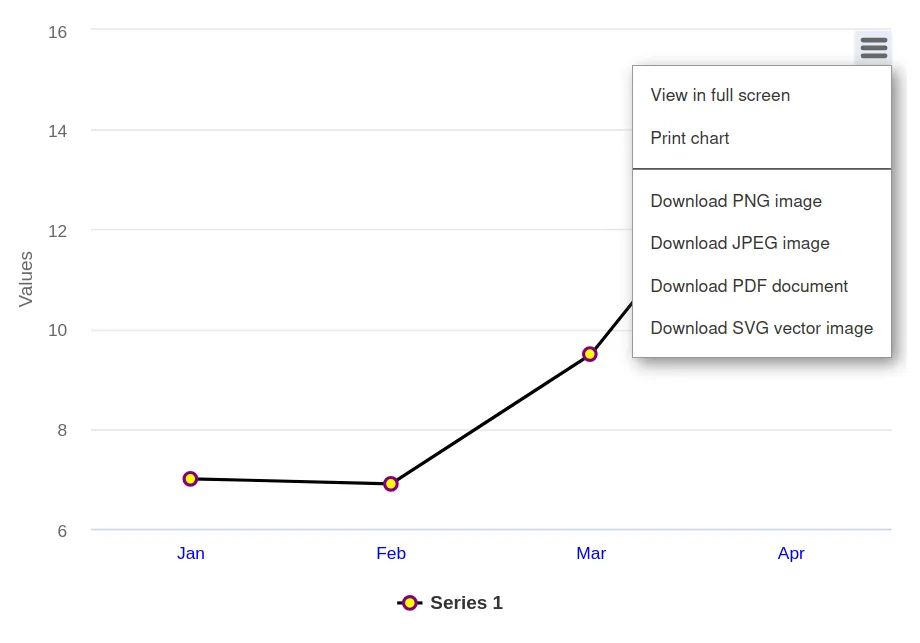
Menu Showing Chart Export Options
Using a Custom Export Server
To use your own export server instead of the public one, set up an export server and configure its URL in the Exporting configuration as follows:
Source code
Java
exporting.setUrl("https://my.own.server.com");